
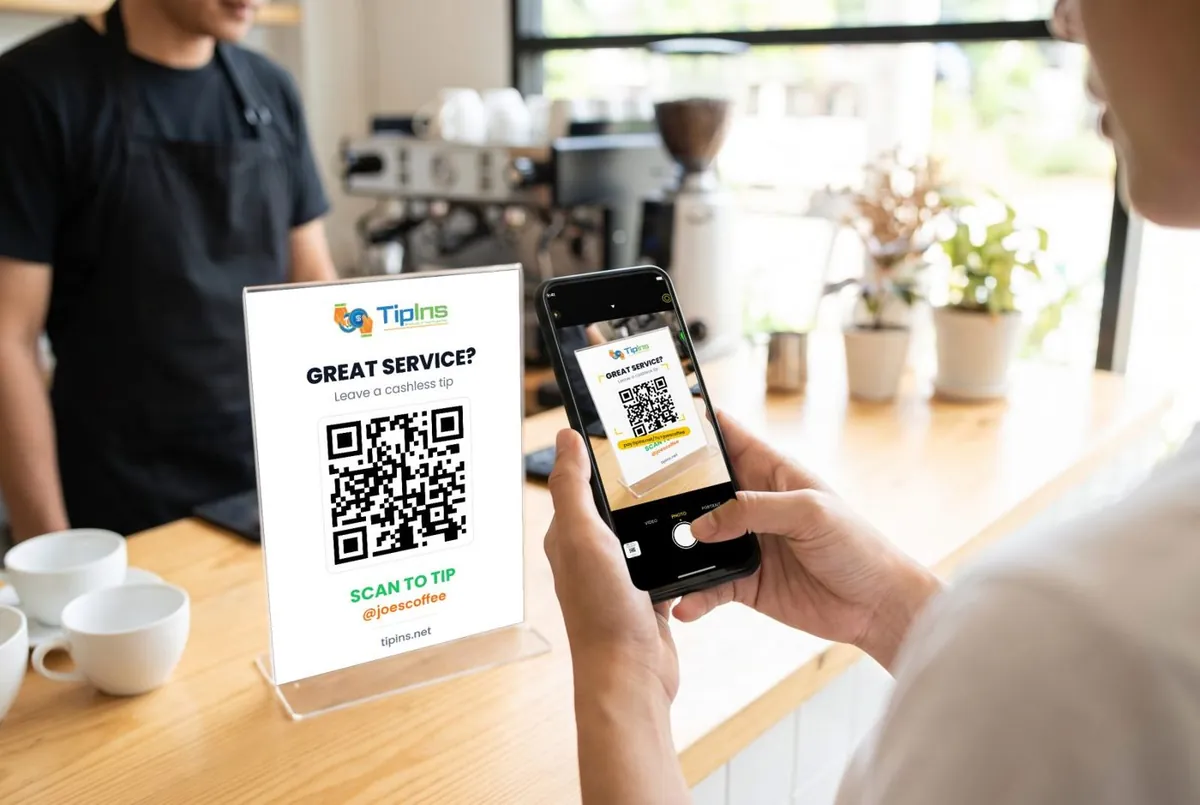
Short answer: a tipping QR code is a link to a payment page. The customer points their phone camera at it, the page opens with your name, and they tip by card, Apple Pay or Google Pay. With a card payment page they need no app and no account. Setting one up takes a few minutes, and the tip is paid to your bank.
What happens when someone scans
- They open the camera and point it at your code. Phones read QR codes without an extra app.
- A secure page opens in the browser, showing your name and photo.
- They pick an amount or type their own, and can leave a note.
- They pay with Apple Pay, Google Pay or a card. It takes a few seconds.
- The tip appears in your balance, and you see it in the app straight away.
Three kinds of tipping code
| Kind | Who can tip | Examples |
|---|---|---|
| Card payment page | Anyone with a card, Apple Pay or Google Pay | TipIns, payment links from card processors |
| Payment app code | Only people with that app | Venmo and PayPal QR codes (the customer pays in the app) |
| Venue code on the bill | Customers paying the bill | Pay-at-table systems; the tip goes to the venue to share out |
Any QR generator can turn a link into a code. What matters is the page behind it: whether a stranger can pay on it, whether your name is on it, and where the money goes. The free QR tip jar maker turns a TipIns, Venmo, Cash App or PayPal link into a printable code.
Setting up a tipping code with TipIns
- Download TipIns and choose a username. Your code and your tip link (pay.tipins.net/?u=yourusername) are ready straight away.
- Verify and add your bank account. Payments are processed by Stripe, which checks the identity of everyone who receives card payments.
- Show it. On your phone, or print a design in business card, A5, A4 or A3 size.
Cost: no monthly fee; a 10% platform fee plus card processing (2.9% + $0.30 in the US) per tip, which the customer covers on top by default. Payouts to your bank every Friday are free; instant payouts cost 2% + $0.25. Full details: TipIns fees.
Where to put it
Where the tip moment happens and where the customer already has their phone out: a counter stand, a badge or lanyard, the back of a business card, the bill folder, a valet ticket, a busker's case. A short line helps more than a big sign: "No cash? Scan to tip." Ideas for each job are in QR code tip jars by job.
Keeping your code safe
- Check your printed code now and then. Scan it yourself to make sure nobody has stuck a different code over it.
- Laminate or frame it, so a sticker cannot be added unnoticed.
- Tell customers to check the name. A good tip page shows who receives the money before anyone pays.
Codes for a team
When tips are shared, a group code saves counting at the end of the shift. In TipIns a group has one code, and each tip is split between members equally or by percentages the owner sets. With active shifts switched on, a tip is shared only between the people working when it arrives, and each person is paid to their own bank account.
By country
Fees, bank details and customs differ by country. See QR code tips in the US, Canada, the UK and every country.
Sources
- Venmo: Our fees
- Venmo for Business (business profiles)
- Venmo help: QR codes for Business Profiles
- Venmo help: Can I use Venmo to buy or sell goods or services?
- Venmo Purchase Protection
- Venmo US User Agreement
- PayPal Merchant Fees (US)
- PayPal Consumer Fees (US)
- PayPal QR Codes for Business
- PayPal help: friends and family vs goods and services
- PayPal help: friends and family payments to business accounts
Checked in October 2026; Apple Cash on 13 November 2026. Fees and terms change, so check the company's own pages before you decide. This is general information, not tax or legal advice.
Common questions
Do customers need an app to tip by QR code?
Not with a card payment page: the phone camera opens it and they pay by card, Apple Pay or Google Pay. A Venmo or PayPal code needs that app.
Is QR code tipping safe?
Card payments are handled by a payment processor, so you never see the customer's card details. Check your printed code now and then so nobody can cover it with their own, and make sure the page shows your name.
How much does QR code tipping cost?
TipIns has no monthly fee. Each tip carries a 10% platform fee plus card processing, added on top for the customer by default, so you receive the full tip.
Can I make a tipping QR code for free?
Yes. TipIns gives you a code free when you sign up, and the free QR tip jar maker turns any payment link into a printable code.

 App Store
 Google Play
