

Short answer: create a tip page in an app such as TipIns, add your IBAN, then print or show your QR code. Customers scan it with their phone camera and tip in Norwegian kroner by card, Apple Pay or Google Pay, with no app on their side.
In Norway tips are optional and modest: 5 to 10% in a restaurant for good service, usually by entering a higher total on the card terminal. Cash is rarely used. Norway is one of the least cash-dependent countries in the world, which leaves buskers, guides and anyone without their own terminal with no way to be tipped.
What people tip in Norway
| Who | Usual tip |
|---|---|
| Restaurants | 5 to 10% for good service |
| Bars | Round up |
| Taxis | Round up |
| Hotel porters | 10 to 20 kr per bag |
| Tour guides | 50 to 100 kr per person |
How QR code tipping works
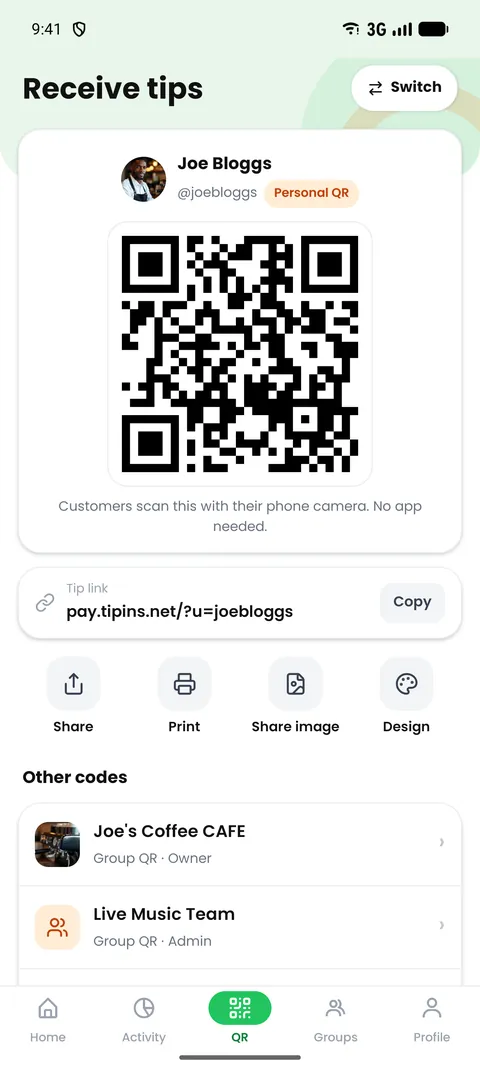
- You show or print your QR code.
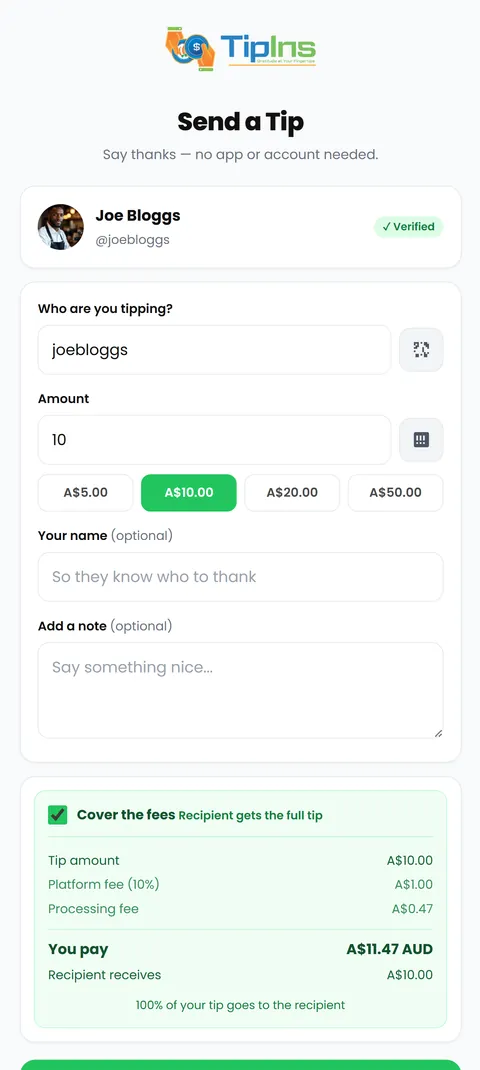
- The customer points their phone camera at it. A secure web page opens. They need no app and no account.
- They choose an amount in Norwegian kroner and pay with Apple Pay, Google Pay or a card.
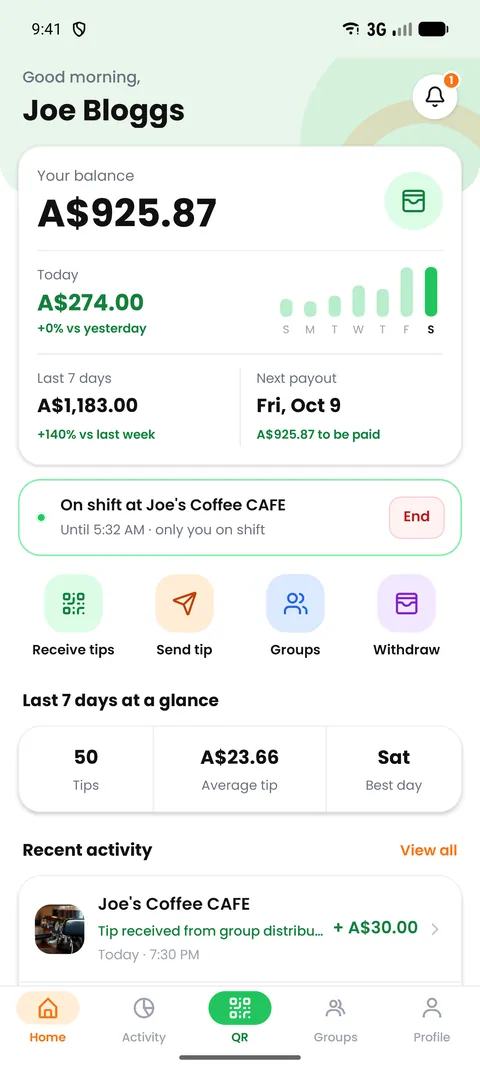
- The tip appears in your balance straight away and is paid to your bank account.
Setting up in Norway
- Create your account. Download TipIns and choose a username. You are asked for your legal name, date of birth and address, because payments are processed by Stripe and anyone receiving card payments must be identified.
- Add your bank account. Enter your IBAN. Tips are paid out in Norwegian kroner.
- Print your code. Export a design in business card, A5, A4 or A3 size, or show the code on your phone.
What it costs in Norway
| Item | Cost |
|---|---|
| Download and monthly fee | Free |
| Platform fee | 10% of each tip |
| Card processing | 2.0% plus 2.00 kr per tip for domestic cards. Cards issued abroad can cost more. |
| Who pays the fees | By default the customer covers them on top of the tip, so you receive the full amount. If they opt out, the fees come out of the tip. |
| Weekly payout to your bank | Free, once your balance reaches the minimum |
| Instant payout | 2% plus a small fixed amount |
Compared with what people use now
Vipps needs a Norwegian bank account and identity number, so a cruise passenger or tourist cannot use it. A QR code that takes any card does not have that limit.
Tips for a whole team
If tips are shared, create a group. The venue shows one QR code and each tip is divided between members, equally or by percentages the owner sets. With active shifts switched on, a tip is shared only between the people working when it arrives. Each person is paid to their own bank account, and every member can see how each tip was split. The methods are compared in how to split tips between employees fairly.
Tax and the law in Norway
Tips are taxable income in Norway. Tips handled by an employer go through payroll; tips you receive directly are yours to report.
This is general information, not tax or legal advice. Check with Skatteetaten or a qualified adviser about your own situation.
Common questions
Is tipping expected in Norway?
In Norway tips are optional and modest: 5 to 10% in a restaurant for good service, usually by entering a higher total on the card terminal. Cash is rarely used.
How much does QR code tipping cost in Norway?
TipIns has no monthly fee. Each tip carries a 10% platform fee plus card processing of 2.0% plus 2.00 kr for domestic cards. By default the customer covers these, so you receive the full tip.
What bank details do I need in Norway?
You need your IBAN. Tips are paid out in Norwegian kroner.
Are tips taxable in Norway?
Tips are taxable income in Norway. Tips handled by an employer go through payroll; tips you receive directly are yours to report.
Do customers need an app to tip by QR code?
No. They scan the code with their phone camera and pay on a secure web page with Apple Pay, Google Pay or a card.