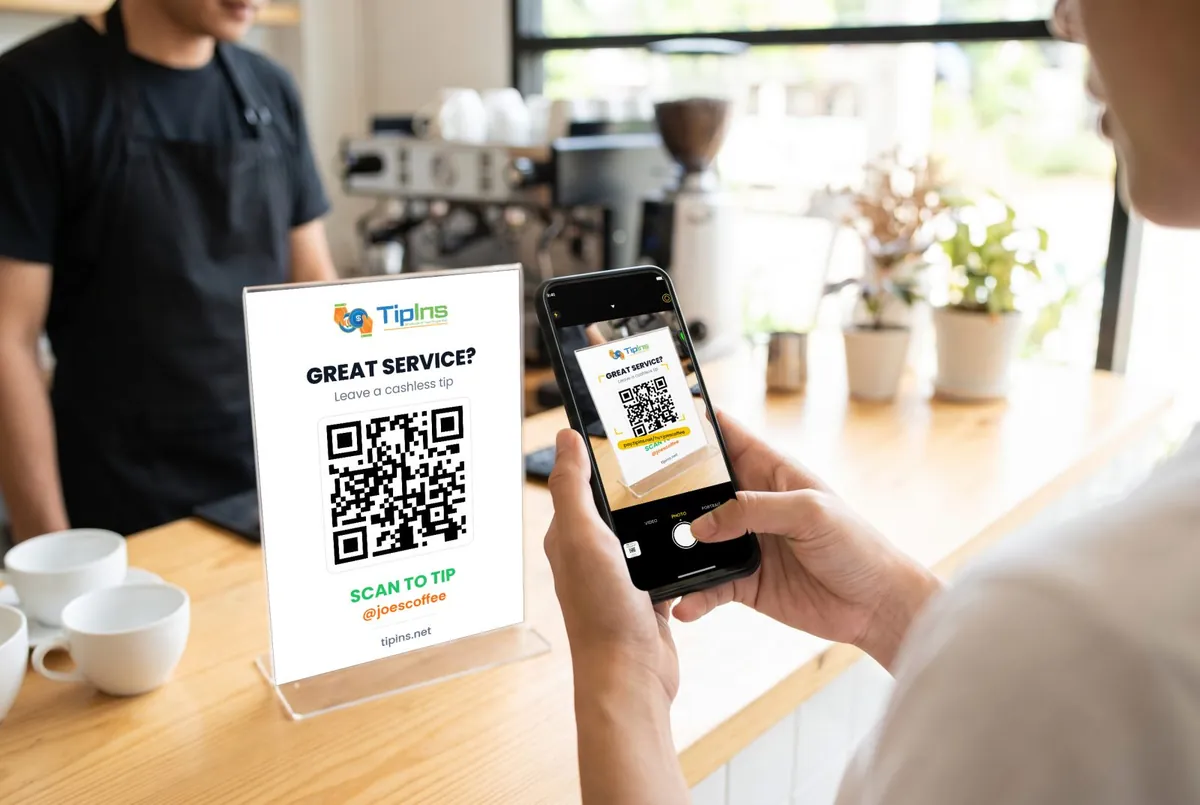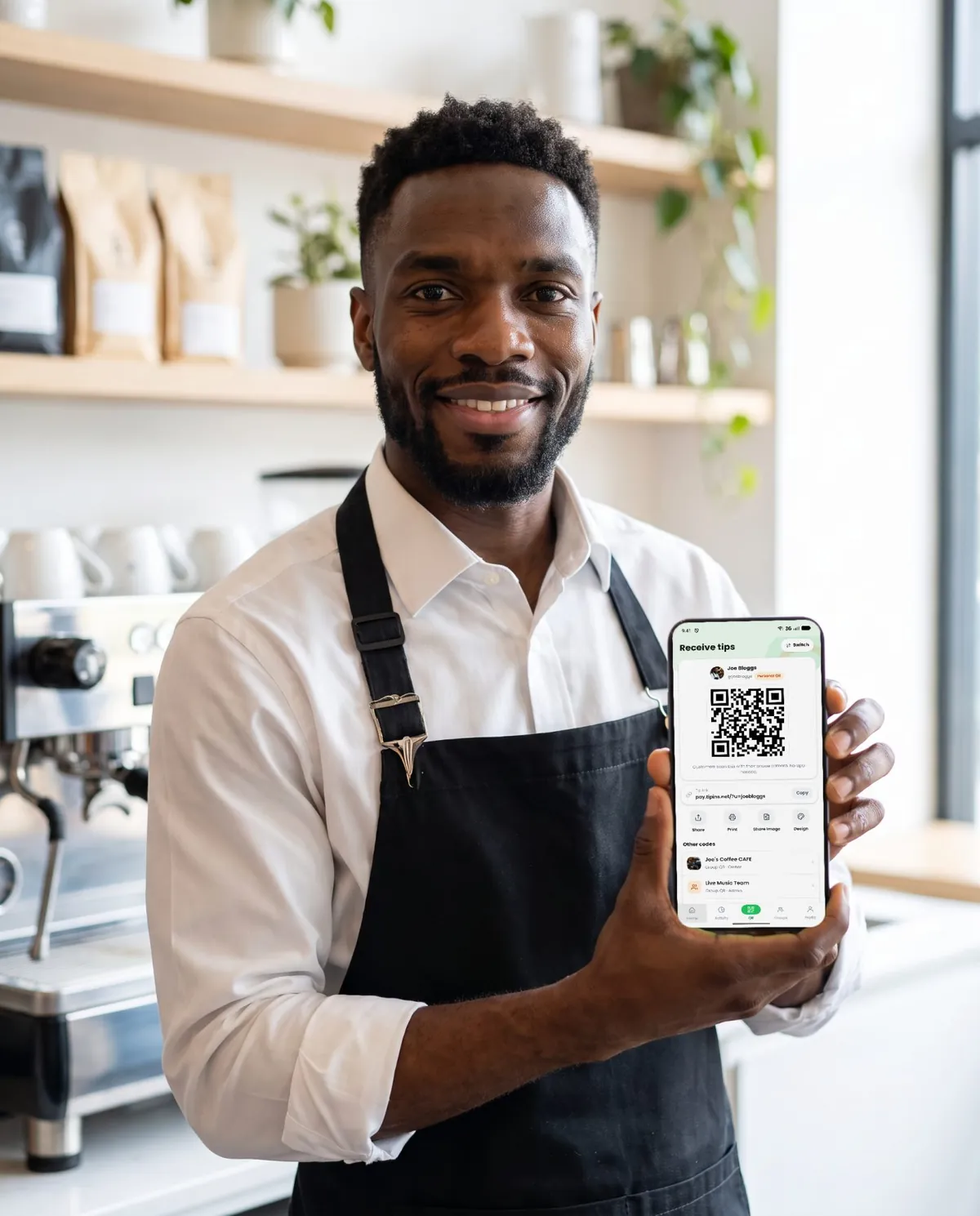

Short answer: a digital tip jar is a QR code that opens a payment page on the listener's phone. You create it once in an app, print it on a sign, and stand it next to your case. People scan it with their camera and tip by card, Apple Pay or Google Pay, with no app on their side.
Every busker has heard it: "I loved that, but I don't have any cash on me." The audience has not become less generous. They have stopped carrying coins. A digital tip jar for musicians fixes that one problem, and it takes about ten minutes to set up.
What you need
- A phone, to create your code and see tips arrive.
- A bank account for payouts and a photo ID for the one-off identity check.
- A printed sign. A4 works for most pitches; go to A3 if your crowd stands further back.
You do not need a card reader, a website or a business registration.
Step 1: Create your tip page
Download TipIns, choose a username and add what you do, for example "Street performer". Your username becomes your tip link, so pick something people could also type from memory, such as your stage name.
You will be asked to confirm your identity and add a bank account. This is a legal requirement for anyone receiving card payments, and it is handled by Stripe, the same payment company used by large online shops.
Step 2: Get your QR code
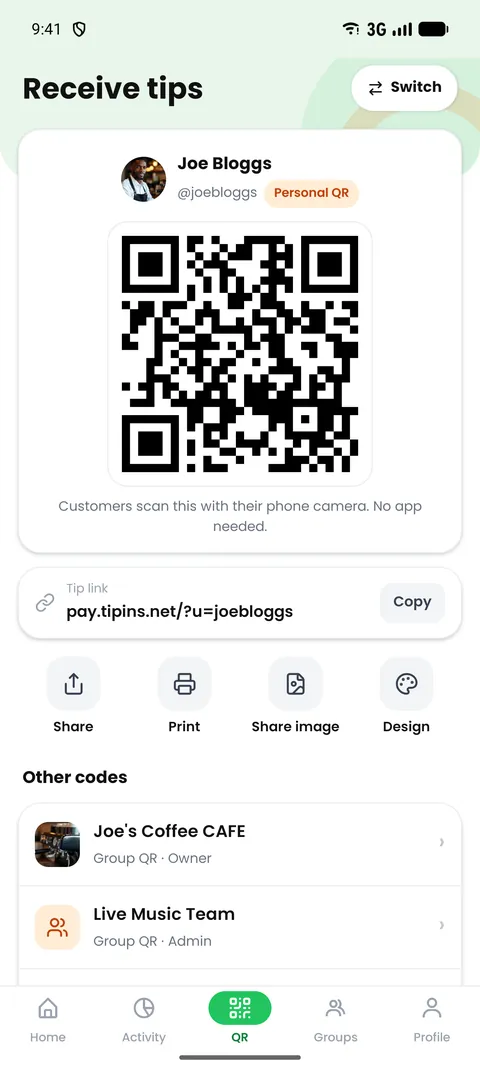
Open the QR tab. Your personal code is ready as soon as your account is. You can show it on screen, share the link, or export a print-ready design in business card, A5, A4 or A3 size.
Step 3: Print a sign people can scan from where they stand
This is where most digital tip jars fail. The code is too small, or it sits flat in the case where nobody can aim a camera at it.
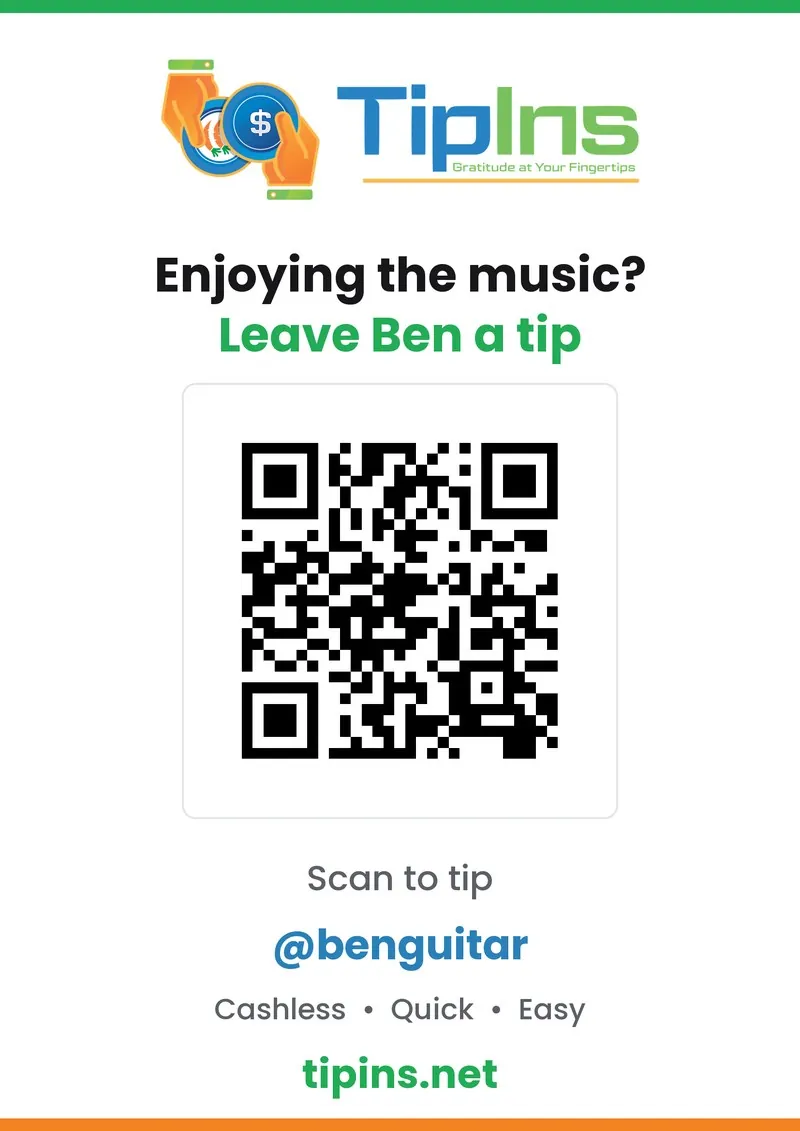
- Size: a phone can read a QR code from roughly ten times its width. A 10 cm code works from about a metre. If your audience stands three metres back, print the code 30 cm wide on A3.
- Angle: stand the sign upright, at knee to waist height. An A-frame or a music stand works well.
- Words: say what happens. "Enjoying the music? Scan to tip. Card, Apple Pay, Google Pay."
- Finish: matte paper or a matte laminate. Gloss reflects sunlight and the camera cannot lock on.
Step 4: Tell people it is there
A sign that is never mentioned gets ignored. Between songs, say it once and briefly: "If you enjoyed that and you're not carrying cash, there's a code on the sign." Keep your open case out as well. Cash and card tips add to each other; people use whichever is easier for them.
Step 5: Watch the tips arrive and cash out
Each tip shows in your activity feed straight away, with the amount and any note the person left. Notes are worth reading: song requests, compliments and the occasional booking enquiry arrive this way.
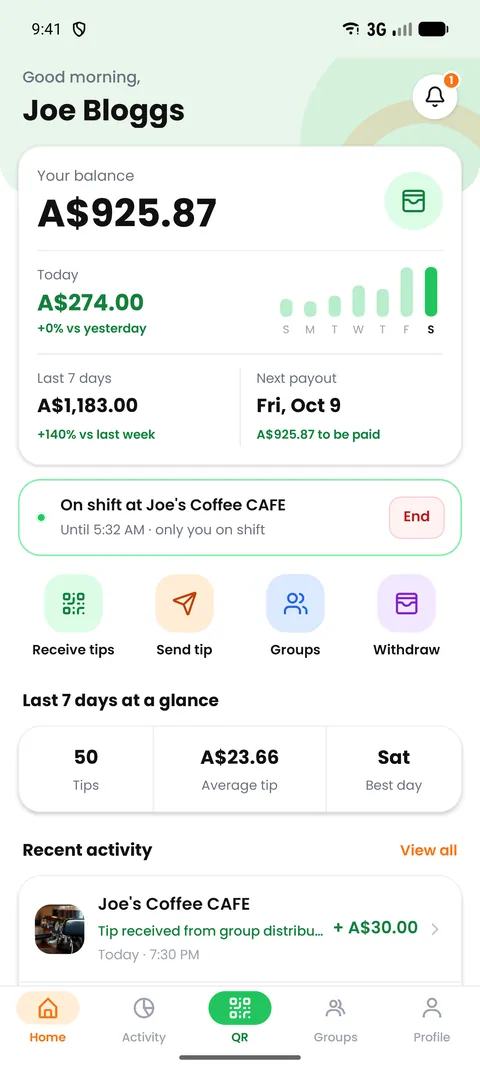
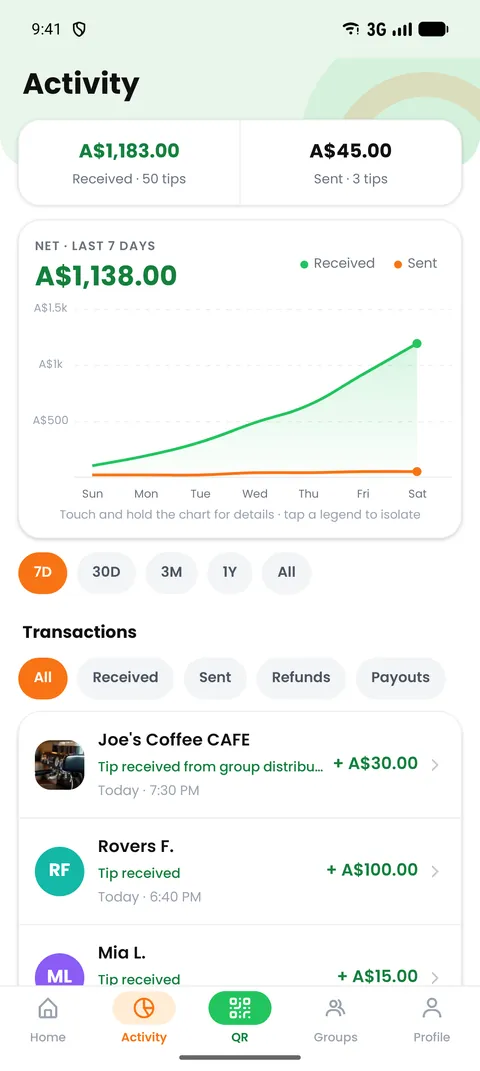
Your balance is paid to your bank account once a week when it reaches A$25. If you need the money sooner, an instant payout is available for a fee of 2% plus a small fixed amount.
What about fees?
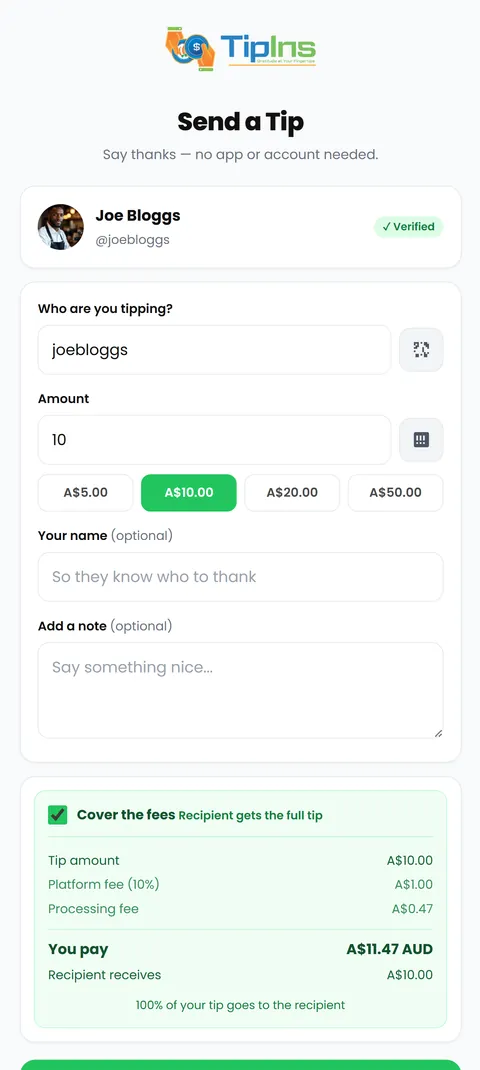
There is no monthly charge. Each tip carries a 10% platform fee plus a small card processing fee. By default the person tipping pays those on top, so a $5 tip puts $5 in your balance. They can choose not to cover them, in which case the fees come out of the tip.
Tips from the pitch
- Check your signal. Your audience needs mobile data to pay. Underpasses and basement arcades can be dead spots.
- Put your link in your social bios. The same link works online, so people who film you can tip later.
- Playing as a band? Create a group. One code, and each tip is split between members automatically. See how to split tips fairly.
- Bring a spare sign. Wind and rain win eventually.
If you are still deciding what to put on the sign itself, read how to make a tip jar QR code sign.
Common questions
Does the person tipping need to download an app?
No. They point their phone camera at your QR code, a secure web page opens, and they pay with Apple Pay, Google Pay or a card. Only you need the TipIns app.
Do I need a card reader to take card tips while busking?
No. A QR code replaces the card reader. There is nothing to charge, pair or carry, and your hands stay on your instrument.
How much does a digital tip jar cost?
TipIns is free to download and has no monthly fee. A 10% platform fee plus a small payment processing fee applies to each tip. By default the person tipping covers those fees, so you receive the full amount they chose.
When do I get the money?
Tips show in your balance straight away. Payouts to your bank account run once a week for balances of A$25 or more, and you can request an instant payout for a fee if you do not want to wait.
Do I still need a busking permit?
A digital tip jar does not change local rules. Many cities require a permit or have set pitches, so check with your local council before you play.